
Key takeaways
- AI coding assistants are changing how developers build and maintain software. They can save time, but they also introduce new places where sensitive information can be stored.
- The Claude Code “Don't ask again” finding is a reminder that a command-line argument can become persistent configuration data, and persistent configuration data can eventually become source-control data.
- Developers should never assume that a file is safe simply because it was generated by a trusted development tool.
- Keep credentials out of commands, protect local agent settings, inspect Git history, and rotate any secret that has been exposed.
- Security must cover the entire development workflow, including the tools developers use to write the code.
Claude Code “Don't Ask Again” Can Expose Passwords and API Keys in GitHub Repositories
AI coding assistants are becoming part of everyday software development. Developers use them to execute commands, modify files, install dependencies, run tests, and automate repetitive engineering tasks.
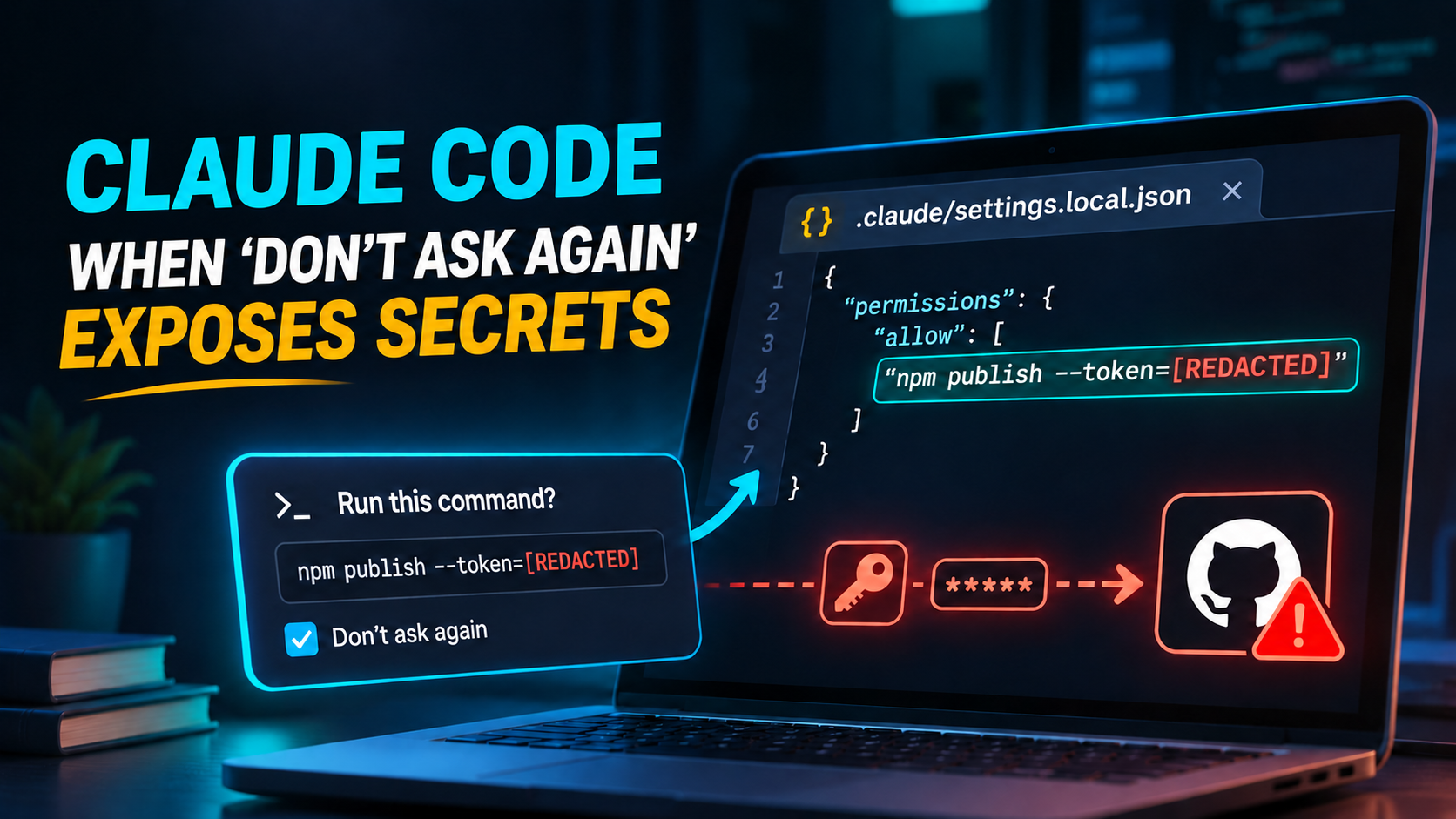
But a recent security investigation has highlighted an important risk in this workflow: a command approved through Claude Code's “Yes, and don't ask again” option can be saved with sensitive values in a local project settings file.
If that file becomes part of a Git repository, passwords, API tokens, database credentials, and other secrets may be exposed to anyone who can access the repository.
Security firm Apiiro reported finding 1,122 public copies of Claude Code's settings.local.json containing at least one secret on GitHub.
This is not a confirmed remote-code-execution vulnerability. It is a developer security and secret-management problem involving how approved commands can be persisted and subsequently exposed.
In this guide, we explain how the exposure happens, what the research found, how to inspect your repositories, and what developers and security teams should do to reduce the risk.
Quick Answer
Claude Code can save persistent Bash command permissions in:
.claude/settings.local.json
When a developer approves a command using the “Yes, and don't ask again” option, the saved permission rule may contain the complete command.
If the original command includes a password or API token, that value may also be saved in plaintext.
Claude Code normally adds this local settings file to the user's global Git excludes when it creates the file. However, that protection is machine-specific. It does not automatically protect a file that was already tracked, manually created without the expected exclusion, or otherwise copied into a repository, archive, or shared environment.
The recommended response is to identify exposed credentials, rotate or revoke them, inspect Git history, and prevent sensitive local settings from entering source control.
What Is the Claude Code “Don't Ask Again” Issue?
Claude Code uses a permission system to ask developers before executing commands that require approval.
For example, when a developer runs a command that requires permission, Claude Code may display an approval prompt with options such as:
- Yes
- Yes, and don't ask again
- No, and tell Claude what to do differently
The second option is designed to save time. Instead of repeatedly asking for permission, Claude Code stores an allow rule so that matching commands can run in future sessions.
For Bash commands, these persistent approval rules are stored in:
.claude/settings.local.json
Consider a developer executing a command containing a credential:
npm publish --token=YOUR_NPM_TOKEN
If the full command is saved as a persistent permission rule, the token may become part of the JSON file.
A simplified illustrative example:
{
  "permissions": {
    "allow": [
      "Bash(npm publish --token=YOUR_NPM_TOKEN)"
    ]
  }
}
The problem is not necessarily the permission mechanism itself. The problem is that sensitive values included in a command can become persistent configuration data.
A local settings file can therefore become an unexpected location for credentials.
How Does the Exposure Happen?
The issue involves a sequence of ordinary development actions.
Step 1: A developer executes a command
A developer runs a command containing a password, access token, or other sensitive value.
Examples include:
PGPASSWORD=YOUR_PASSWORD psql -h db.example.com
sshpass -p YOUR_PASSWORD ssh user@server.example.com
npm publish --token=YOUR_NPM_TOKEN
These examples are illustrative. Developers should avoid passing secrets directly through command-line arguments wherever possible.
Step 2: The developer selects “Don't ask again”
Claude Code can save persistent Bash command approval rules in the project's local settings file.
The saved rule may contain the command that was approved, including sensitive values present in that command.
Step 3: The local settings file becomes exposed
Claude Code documents that it adds the following pattern to the user's global Git excludes when it creates the local settings file in a Git repository:
**/.claude/settings.local.json
This normally keeps the file out of Git commits on that machine.
However, global Git excludes are not the same as a repository-level .gitignore.
The protection does not automatically travel with the repository.
Exposure can occur when:
- The file was already tracked by Git.
- The file was manually created without being properly ignored.
- Someone force-adds the file.
- The file is copied into an archive or shared directory.
- A developer commits an older version of the file.
- The file is included in a package or container build.
Step 4: Credentials become accessible outside the developer's machine
If a sensitive settings file is pushed to a public repository, its contents may be accessible to anyone.
Even if the developer later deletes the file, its previous versions may remain in Git history.
Deleting the current file does not automatically remove the exposed credential from every clone, fork, or historical commit.
What Did Apiiro's Research Find?
Apiiro investigated public GitHub repositories containing Claude Code settings files.
The findings reported by The Hacker News on November 7, 2026, include:
| Research finding | Reported result |
|---|---|
Copies of .claude/settings.local.json examined |
104,185 |
| Public repositories containing those copies | 103,617 |
| Files containing at least one secret | 1,122 |
| Distinct secrets identified in those files | 1,379 |
| Database passwords | 379 |
| SSH logins for public servers | 43 |
| GitHub, GitLab and npm tokens | 42 |
| AWS keys | 23 |
The researchers also identified additional exposure beyond the current local settings files.
Their wider investigation included older Git history, shared .claude/settings.json files, and saved agent transcripts. The combined findings reached 2,539 secrets across 1,994 repositories.
A particularly important detail is that the researchers did not establish whether every identified credential was still active or had been abused.
One company notified by the researchers did confirm that a key they identified had been live.
These findings demonstrate a real secret-management risk, but they should not be interpreted as proof that every exposed credential was exploited.
Why Git History Makes This More Serious
A common developer response to accidentally committing a sensitive file is to delete it and push another commit.
That is not sufficient.
Git records changes across commits. Removing a file from the latest version does not remove its contents from previous commits.
For example:
Commit 1: settings.local.json committed with a token
Commit 2: settings.local.json modified
Commit 3: settings.local.json deleted
The current working tree may no longer contain the file, but the original credential can still exist in the repository history.
Forks and existing clones can also retain earlier versions.
This means an exposed credential must be treated as compromised even if the file has already been removed from the latest branch.
The correct priority is to rotate or revoke the credential first.
How to Check Whether Your Repository Is Affected
Developers using Claude Code should inspect both the current repository state and its Git history.
1. Locate Claude Code settings files
From the repository root, run:
find . -type f \( \
  -path "*/.claude/settings.local.json" -o \
  -path "*/.claude/settings.json" \
\) -print
Inspect the files locally.
Look for:
- Database passwords
- API keys
- Access tokens
- SSH credentials
- Cloud access keys
- Passwords embedded in shell commands
- Private server addresses paired with credentials
Do not paste the contents of these files into public issue trackers, online scanners, or shared chat channels.
2. Check whether the file is tracked
Run:
git ls-files | grep -E '(^|/)\.claude/settings(\.local)?\.json$'
If the command returns a file path, Git is tracking that file.
A file that exists locally but does not appear in this output may still have existed in an earlier commit.
3. Inspect Git history
Run:
git log --all --full-history -- \
  .claude/settings.local.json \
  .claude/settings.json
This helps identify commits that changed these files.
For a deeper review, inspect the relevant historical commits locally and search for sensitive values without publishing their contents.
Remember that checking only the current branch is insufficient. Other branches and references may contain older versions.
4. Check Git ignore protection
Run:
git check-ignore -v .claude/settings.local.json
If the file is ignored, Git should identify the ignore rule responsible.
However, being ignored does not remove a file that Git already tracks.
5. Search for sensitive command patterns
Review saved permission rules for suspicious command arguments and patterns such as:
password
token
secret
api_key
PGPASSWORD
sshpass
--token
mysql -p
These are useful indicators, not a complete secret-detection method. A credential may use a different name or format.
How to Fix the Claude Code Secret Exposure
If you find credentials in a Claude Code settings file, follow this order.
Step 1: Rotate or revoke exposed credentials
This is the most important step.
Depending on what was exposed:
- Change database passwords.
- Revoke and regenerate API tokens.
- Rotate AWS access keys.
- Replace GitHub or GitLab tokens.
- Rotate npm publishing tokens.
- Replace SSH credentials or keys where necessary.
If the credential was ever pushed to a public repository, treat it as compromised.
Do not wait until you confirm suspicious usage.
Step 2: Remove secrets from local settings
Open:
.claude/settings.local.json
Remove permission rules that contain passwords, tokens, or other sensitive values.
Keep legitimate permission rules only when they are safe to retain.
Step 3: Add the local settings file to .gitignore
Add this rule to the repository's .gitignore:
.claude/settings.local.json
This provides repository-level protection that travels with the project.
Also review whether any other local AI-agent configuration files contain sensitive information.
Step 4: Stop tracking an already committed file
If the file is currently tracked, run:
git rm --cached .claude/settings.local.json
Then commit the removal:
git add .gitignore
git commit -m "security: stop tracking local Claude Code settings"
This removes the file from the current Git index while keeping the local file on disk.
It does not erase earlier versions from Git history.
Step 5: Review and clean Git history when necessary
If the file contained exposed credentials in previous commits, consider removing those contents from repository history using a history-rewriting tool such as git filter-repo.
Before doing this:
- Rotate the credentials.
- Coordinate with repository collaborators.
- Back up the repository.
- Understand the impact on branches, tags, and forks.
- Plan a controlled force-push if required.
History rewriting reduces future exposure from the repository's reachable history. It cannot guarantee removal from existing forks, clones, caches, or copies.
Step 6: Check packages and container images
A repository is not the only possible exposure point.
Inspect:
- npm package contents
- Docker build contexts and images
- ZIP archives
- CI/CD artifacts
- Shared development folders
- Backup and synchronization services
For example, inspect an npm package before publishing:
npm pack --dry-run
Also review .dockerignore to ensure local agent settings are not copied into container build contexts.
How Developers Can Prevent This in Future Projects
The best solution is to prevent credentials from entering commands and configuration files in the first place.
1. Use environment variables instead of literal credentials
Avoid:
mysql -u admin -pMyDatabasePassword
Prefer an environment variable or a securely managed credential source:
mysql -u admin -p
For applications, use an environment variable such as:
DATABASE_URL
The secret should be provided through an appropriate secret-management mechanism rather than written directly into a command that may be saved.
Be aware that environment variables also require careful handling. Avoid printing them in logs, shell traces, or debugging output.
2. Use safe permission patterns
Instead of approving a one-off command containing a sensitive argument, approve a suitable command pattern where possible.
For example:
Bash(npm test *)
This is more appropriate than saving a command that includes an actual publishing token.
Permission patterns should still be reviewed carefully. Broad allow rules can grant more access than intended.
3. Maintain repository-level ignore rules
A useful baseline is:
# Local AI coding agent settings
.claude/settings.local.json

# Local environment files
.env
.env.*
!.env.example
Review the project-specific requirements before adding ignore patterns. Do not accidentally exclude safe example configuration files or necessary shared settings.
4. Add secret scanning to development workflows
Use secret scanning during development and in CI/CD.
Examples include:
- Gitleaks
- TruffleHog
- GitHub secret scanning
- GitLab secret detection
Do not rely on a single scanner.
Apiiro reported that both Gitleaks and TruffleHog missed some of the identified secret-bearing files in its comparison. In particular, passwords embedded in ordinary-looking command arguments can be harder to detect than recognizable API key formats.
Consider adding custom checks for AI-agent configuration files and command-line credential patterns.
5. Treat AI-agent configuration as security-sensitive
Do not assume that files generated by coding assistants are harmless development metadata.
Review files and directories such as:
.claude/
.cursor/
.gemini/
.specstory/
The presence of these directories does not automatically mean a secret has leaked. They should simply be included in repository, packaging, and security reviews where applicable.
Security Checklist for Development Teams
Use this checklist when auditing projects that use AI coding assistants.
- Locate
.claude/settings.local.jsonfiles. - Review shared
.claude/settings.jsonfiles. - Search current files for passwords, tokens, and API keys.
- Check whether local settings files are tracked by Git.
- Inspect Git history, including other branches.
- Rotate credentials that have been exposed.
- Add local settings files to repository
.gitignore. - Remove accidentally tracked files from the Git index.
- Review npm packages and Docker images.
- Enable secret scanning in CI/CD.
- Review AI-agent configuration and permission rules.
- Establish a credential rotation and incident-response process.
Frequently Asked Questions
Does Claude Code always expose passwords through settings.local.json?
No. The exposure depends on what developers enter into commands and whether sensitive values are included in saved permission rules. The risk is not that every settings file contains secrets.
Is this a remote-code-execution vulnerability?
No. The reported issue concerns sensitive information being stored in configuration files and potentially exposed through source control. It is not a reported RCE vulnerability.
Does Claude Code automatically ignore settings.local.json?
Claude Code documents that it adds **/.claude/settings.local.json to the user's global Git excludes when it creates the file in a Git repository. This protection does not automatically remove already tracked files, and manually created files may need repository-level ignore rules.
Is deleting the settings file enough?
No. If the file was committed, previous versions may remain in Git history and forks. Rotate or revoke the exposed credentials first, then clean up the repository.
Are shared .claude/settings.json files also worth checking?
Yes. Apiiro's wider investigation also identified secrets in shared .claude/settings.json files. Review shared AI-agent configuration as part of repository security checks.
Should developers stop using Claude Code?
Not necessarily. The practical response is to use secure credential-handling practices, review permission rules, protect local configuration files, and scan repositories for accidental exposure.
Final Thoughts
AI coding assistants are changing how developers build and maintain software. They can save time, but they also introduce new places where sensitive information can be stored.
The Claude Code “Don't ask again” finding is a reminder that a command-line argument can become persistent configuration data, and persistent configuration data can eventually become source-control data.
Developers should never assume that a file is safe simply because it was generated by a trusted development tool.
Keep credentials out of commands, protect local agent settings, inspect Git history, and rotate any secret that has been exposed.
Security must cover the entire development workflow, including the tools developers use to write the code.
References
-
The Hacker News — Claude Code's “Don't Ask Again” File Exposes Passwords and Keys in 1,122 Public Copies on GitHub https://thehackernews.com/2026/11/claude-codes-dont-ask-again-file.html
-
Anthropic — Claude Code: Configure Permissions https://code.claude.com/docs/en/permissions
-
Anthropic — Claude Code: Settings Files and Precedence https://code.claude.com/docs/en/settings
-
Anthropic Claude Code GitHub Issue — Approved Bash commands containing credentials are stored with plaintext credentials in settings.local.json https://github.com/anthropics/claude-code/issues/5544
Research note: Statistics in this article are attributed to Apiiro's investigation as reported by The Hacker News. The reported credential counts do not establish that all credentials remained valid or were exploited.
← Back to all articles